
Article Highlights
- Successful adoption is measured through completed workflows and business outcomes, not login activity.
- User groups should be mapped by roles, tasks, permissions, and support needs.
- A pilot needs representative users, realistic data, and documented exit criteria.
- Documentation and training should follow real tasks, decisions, and exception scenarios.
- Analytics, support tickets, interviews, and legacy usage should feed into one improvement backlog.
Software adoption occurs when employees consistently complete the intended business process in the new system with fewer errors, delays, and workarounds. Deployment, account creation, and training attendance show readiness, but they do not confirm that the software has become part of daily work. A software adoption checklist connects user behavior to process performance and business results.
Define What Successful Adoption Means
Before rollout begins, the team should agree on the outcome that will confirm successful adoption. This creates a shared basis for measuring progress and deciding when the rollout needs adjustment.
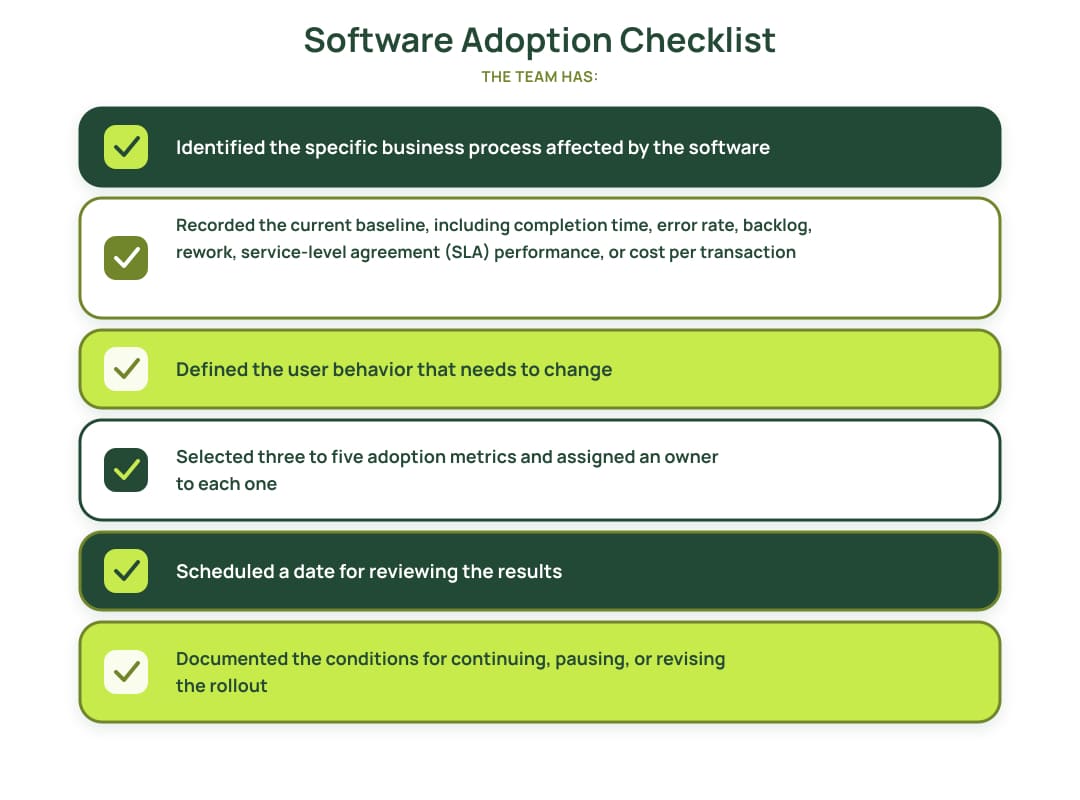
Login activity alone is a weak adoption metric. An employee can open the system and continue completing the actual work through spreadsheets, email, or the previous product. Metrics should therefore show how the process is performed after access is granted.
| Metric | What it shows |
|---|---|
| Activation rate | The percentage of users who complete the first key workflow |
| Workflow completion | The number or percentage of processes completed in the new system |
| Repeat use | Users who return to the product after their first attempt |
| Legacy-system usage | Remaining dependence on the previous system |
| Workaround rate | How often work moves into email, spreadsheets, or manual steps |
| Time to complete | Changes in process completion time |
| Error and rework rate | The number of mistakes and required corrections |
| Support contacts per 100 users | The level of assistance users need to complete their work |
| Business outcome | Changes in SLA performance, cost, throughput, or compliance results |
Training attendance and created accounts should remain readiness indicators. Successful adoption requires evidence that users complete the intended workflow and that the process performs better.
Review adoption metrics by role, team, or location. A positive company-wide average can hide groups that still rely on the previous process.
Map Users, Workflows, and Adoption Barriers
Companies often organize a rollout by department. For a software adoption checklist, it is more useful to group users by role and the work they need to complete. People in the same department can have different permissions, workflows, and support needs.
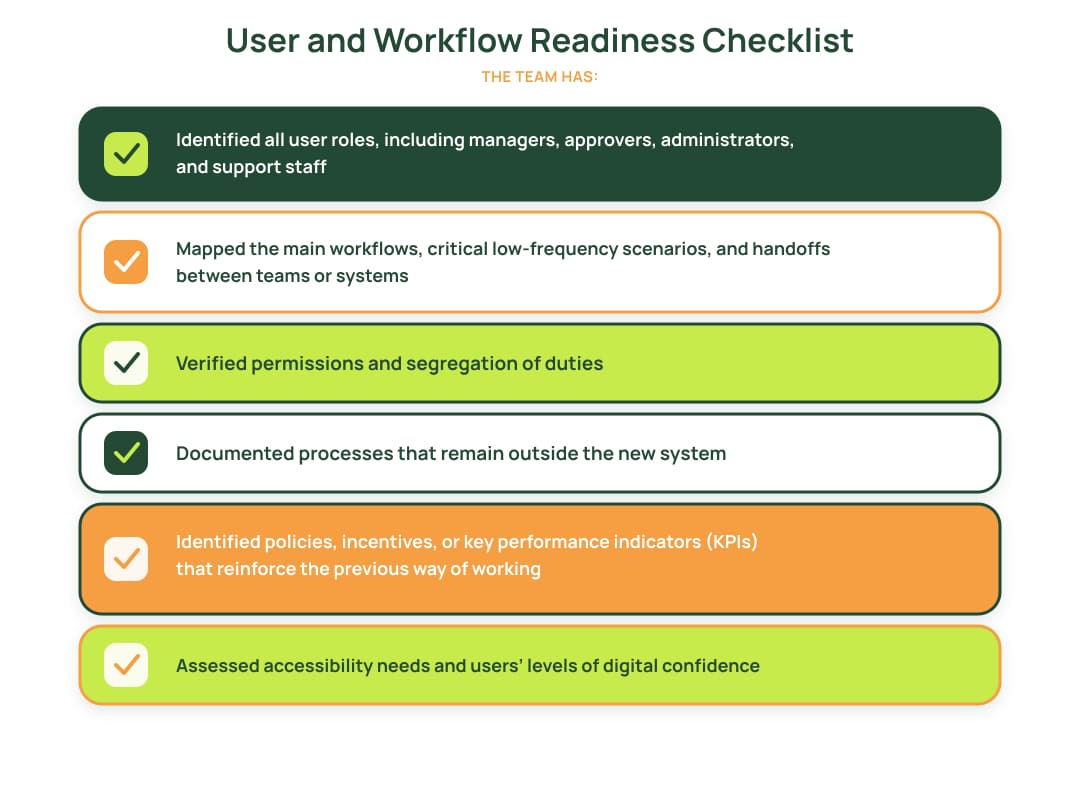
A short role-based register makes these differences visible:
| User role | Key task | Current tool | New workflow | Main barrier | Required support |
|---|---|---|---|---|---|
| Sales manager | Approve discount | Approval workflow | Limited mobile access | Quick guide | |
| Finance analyst | Reconcile payments | Spreadsheet | Reconciliation module | Missing export | Training and product change |
| Team lead | Review workload | Legacy dashboard | New dashboard | Different metric definitions | Metric glossary |
This part of the software adoption checklist often reveals the main cause of low adoption: the new system supports individual screens or actions but does not cover the complete workflow required by the user.
Run a Pilot with Exit Criteria
A pilot should test the software, operating process, documentation, and support model with a limited group of real users. In a software adoption checklist, the pilot is the stage that confirms the system can support daily work before access is expanded.
GOV.UK advises starting with a private beta for a restricted audience, collecting evidence about service performance, and moving to a wider rollout after the service has improved and the team can support more users.
Select the Pilot Group
The group should represent the future user base. Include typical users, people responsible for complex or less frequent scenarios, managers, approvers, and support representatives. Where relevant, involve different locations or business units. Some participants should have had no role in designing the product.
A pilot made up mainly of the project team and enthusiastic early adopters can produce results that do not reflect the wider organization.
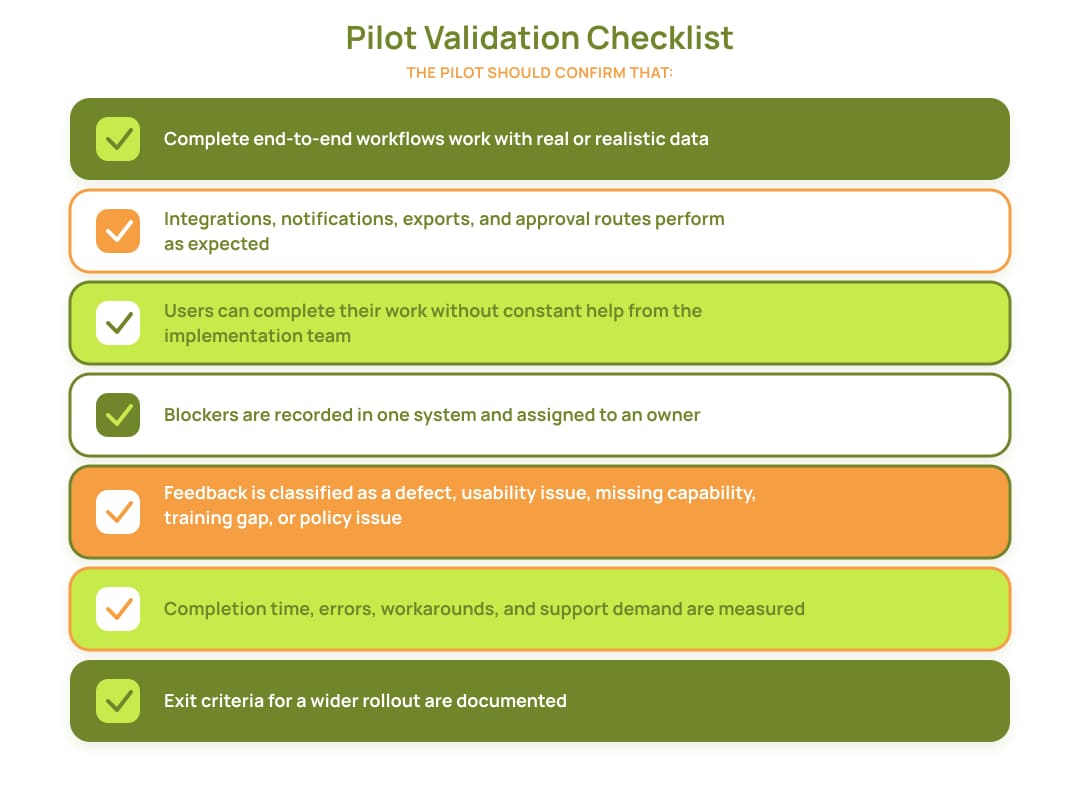
Example Exit Criteria
The rollout can expand when:
- critical workflows have passed user acceptance testing (UAT);
- no unresolved critical defects remain;
- pilot users complete key tasks without help from the implementation team;
- the support team resolves standard requests independently;
- permissions and migrated data have been verified;
- rollback or contingency procedures have been tested;
- the selected adoption metrics have reached their minimum targets.
Pilot findings should update the software adoption checklist before the next rollout stage. Gaps in workflow logic, integrations, permissions, performance, or reporting should be resolved before access is expanded. A software product engineering team can address these issues when they require product or integration changes beyond rollout configuration.
Prepare Documentation, Training, and Communication
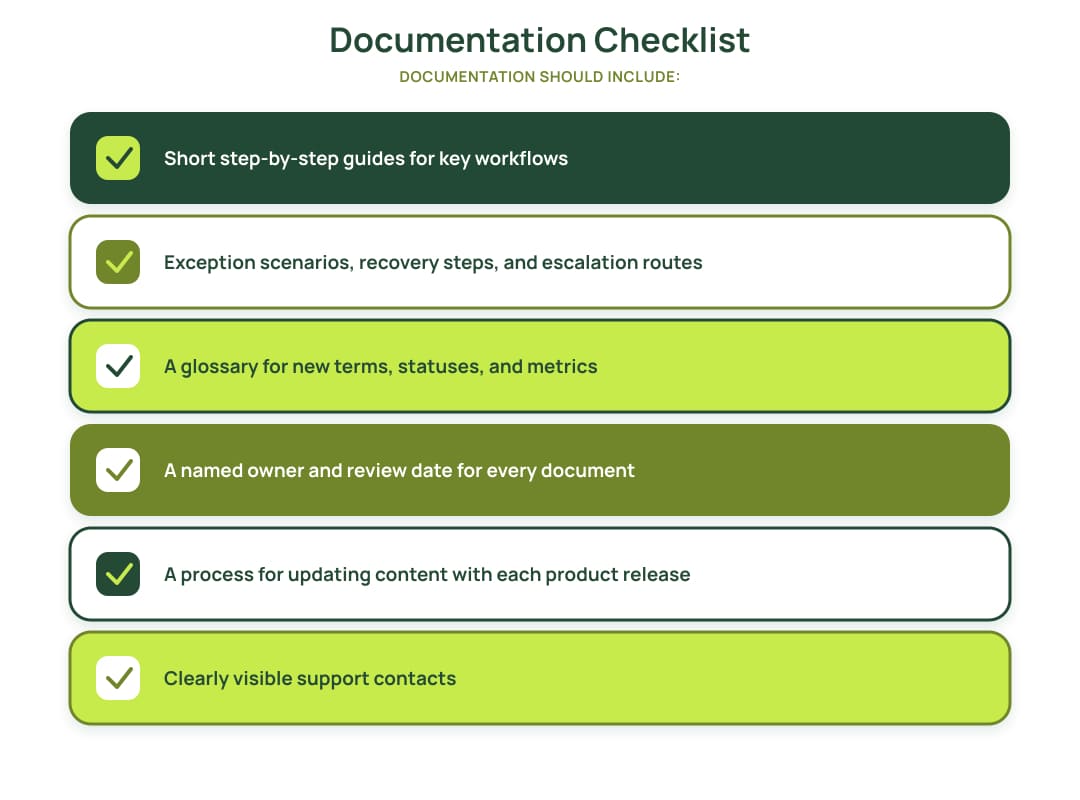
Documentation should help users complete tasks, make decisions, and handle exceptions. A description of every screen or button rarely explains how to finish a real business process. This part of the software adoption checklist should cover documentation, training, communication, ownership, and ongoing support.
Documentation Checklist
Provide one accessible location for all materials and organize them by user role.
Training Checklist
Training should reflect actual business scenarios rather than general product features. Each role should practice relevant workflows in an environment with realistic data and permissions.
Users should complete tasks independently during training. Managers need to understand how to monitor the new process, while support agents and super users should receive training before the wider audience. The training plan should also cover new-employee onboarding and use feedback to improve the materials.
Microsoft’s training strategy guidance advises aligning training with roles and business processes, preparing trainers and super users before user acceptance testing (UAT), and maintaining a process for continuous content updates.

Launch Communication
A launch message should explain the process change, the date when new rules apply, and the actions users must complete. It should also state which previous steps are being removed, where guides are stored, how to request help, and what will happen to the old system.
Communication should arrive early enough for users and managers to prepare. A single announcement on the launch date is not an adoption plan.
Ownership Model
| Role | Responsibility |
|---|---|
| Executive sponsor | Removes organizational and policy barriers |
| Business process owner | Approves the new workflow and operating rules |
| Product owner | Owns the adoption outcome and improvement backlog |
| Adoption or change owner | Coordinates communication, training, and rollout |
| IT and security | Manages access, devices, integrations, and controls |
| Support owner | Defines help desk processes, service levels, and escalation |
| Super users | Provide local assistance and recurring feedback |
| Engineering team | Resolves defects, monitors the product, and implements changes |
One person can hold several roles in a smaller organization. Responsibility for adoption should still remain explicit and should not sit only with the technical team.
Support Checklist
Users need one clear support channel with defined Level 1, Level 2, and Level 3 responsibilities.
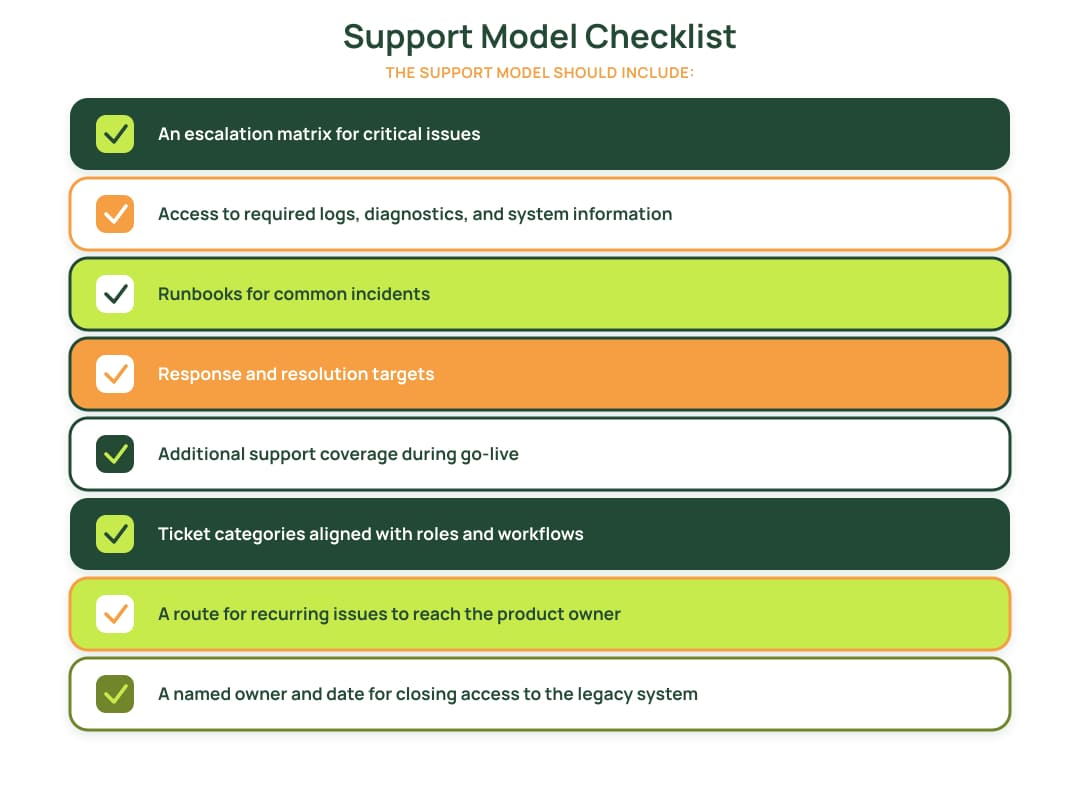
Support data should feed back into the software adoption checklist. Repeated questions can indicate unclear documentation, missing training, a product defect, or an incomplete workflow.
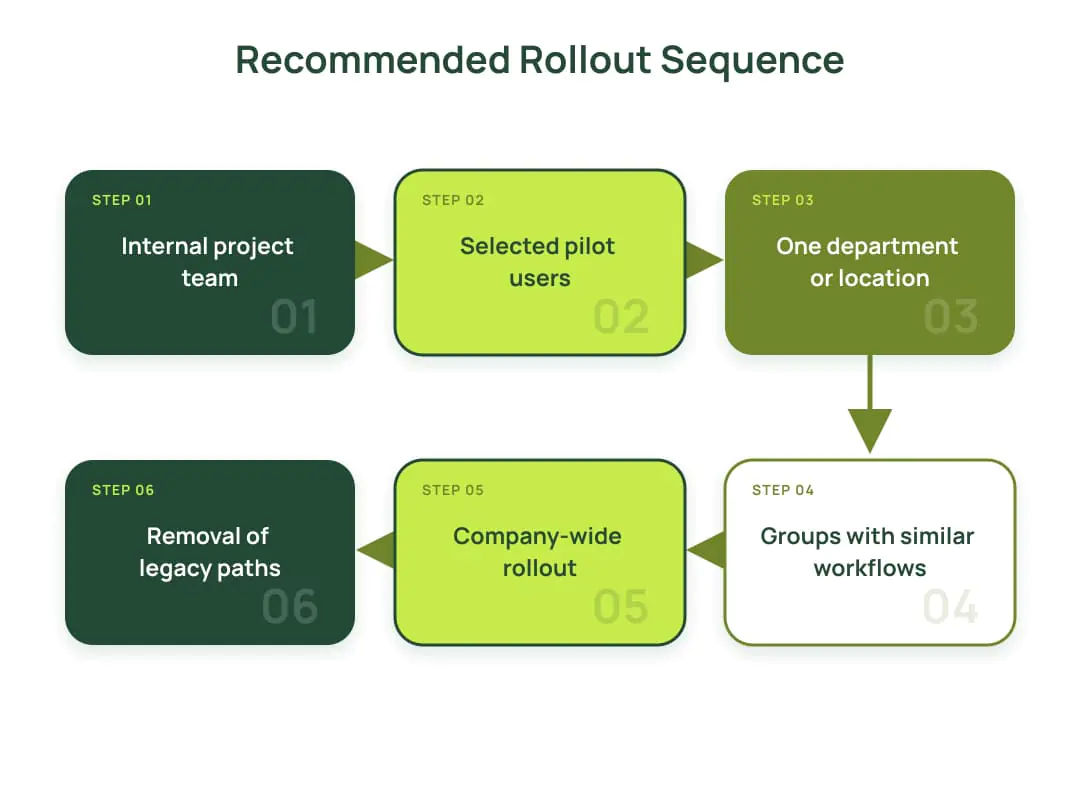
Each stage needs its own thresholds for defect levels, support capacity, workflow completion, and rollback readiness. The rollout should move forward only after those thresholds are met.
Measure Adoption and Close the Feedback Loop
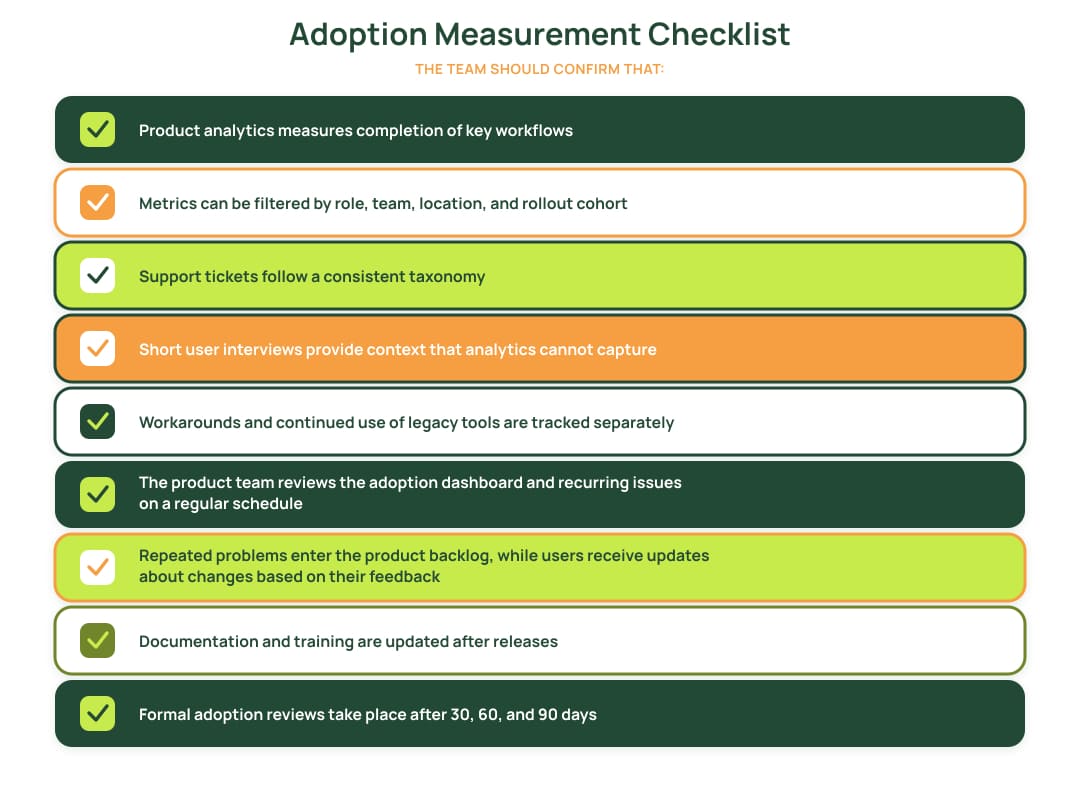
Feedback should not end with a survey. Every meaningful signal needs a category, owner, priority, and recorded decision. The software adoption checklist should connect analytics, support data, user interviews, and product changes.
How to Interpret Adoption Signals
| Signal | Possible cause |
|---|---|
| High login rate and low workflow completion | Users can access the system but cannot complete the task |
| Frequent training requests | Materials do not match user roles or are difficult to find |
| Rapid growth in spreadsheet exports | Reporting or a downstream workflow is missing |
| Frequent permission tickets | The role and access model needs revision |
| Continued use of legacy software | The new process is incomplete or the old route remains easier |
| Low ticket volume and low usage | Users are avoiding the system rather than working independently |
| The same requests from several teams | The product or process needs a change, not another guide |
Low adoption can indicate incomplete workflows, usability problems, missing integrations, or unnecessary manual steps. These signals should be reviewed before the team adds more training or communication to the software adoption checklist.
When the evidence points to product-level issues, product scaling and optimization services can support the analysis of usage data, support requests, and workflow failures before changes are prioritized.
Key Takeaways
Before expanding the rollout, confirm that users can complete the target workflow, support can resolve common issues, analytics can identify adoption gaps, and the business owner is prepared to retire the previous process. Missing any of these conditions can increase support demand without proving business value.
A software adoption checklist should follow the full path from baseline and pilot to training, support, feedback, and legacy-system retirement. Account creation and training attendance show preparation; completed workflows and improved business results confirm adoption.
If the adoption review identifies gaps in workflows, integrations, or product behavior, Techbar can help define the changes required before the next rollout stage.

Dmytro Barbashov CTO