Article Highlights
- A cloud migration strategy should begin with business outcomes and a complete system assessment
- Each workload requires its own migration decision
- Cloud migration risks extend beyond data transfer
- A cloud migration strategy must define validation and rollback before production cutover
- Cloud benefits depend on architecture and ongoing management
- Production data should guide right-sizing, autoscaling, security reviews, reliability improvements, cost controls, and the next modernization priorities
Moving an existing application to the cloud requires more than transferring servers and data to a new environment. The migration affects architecture, security, integrations, operating processes, cost management, and the teams responsible for the system after launch.
A clear cloud migration strategy connects these decisions to defined business goals. It establishes what should move, how each workload should be treated, which risks must be controlled, and how the company will measure the result. This guide explains the main benefits and risks of cloud migration and provides a structured process for planning and executing the move.
What Is Cloud Migration and Why Does It Matter?
Cloud migration involves moving applications, data, workloads, and supporting infrastructure from on-premises systems to a public, private, or hybrid cloud. It can also involve transferring workloads between cloud providers. Depending on the application’s condition and business requirements, a company can move it with minimal changes or modify its architecture to make greater use of cloud services.
For businesses, cloud migration can provide more flexible resource scaling, faster deployment, stronger recovery capabilities, and access to managed infrastructure and platform services. It can also reduce the effort required to maintain physical hardware. Lower costs, however, depend on selecting suitable services, right-sizing resources, and controlling cloud consumption after migration.
Many organizations also move applications and data to the cloud to support AI adoption, advanced analytics, and faster product development. Cloud platforms provide managed data, machine learning, and computing services that can require significant time and investment to build internally. Companies planning such initiatives can also review TechBar’s Data & AI services to understand how cloud infrastructure connects with data platforms and production AI systems.
A clear cloud migration strategy determines which applications should move, which migration approach fits each workload, and how security, dependencies, downtime, compliance, and costs will be managed. This preparation connects the migration to measurable business goals and reduces the risk of carrying existing infrastructure problems into the target environment.
What Can Go Wrong During Cloud Migration?
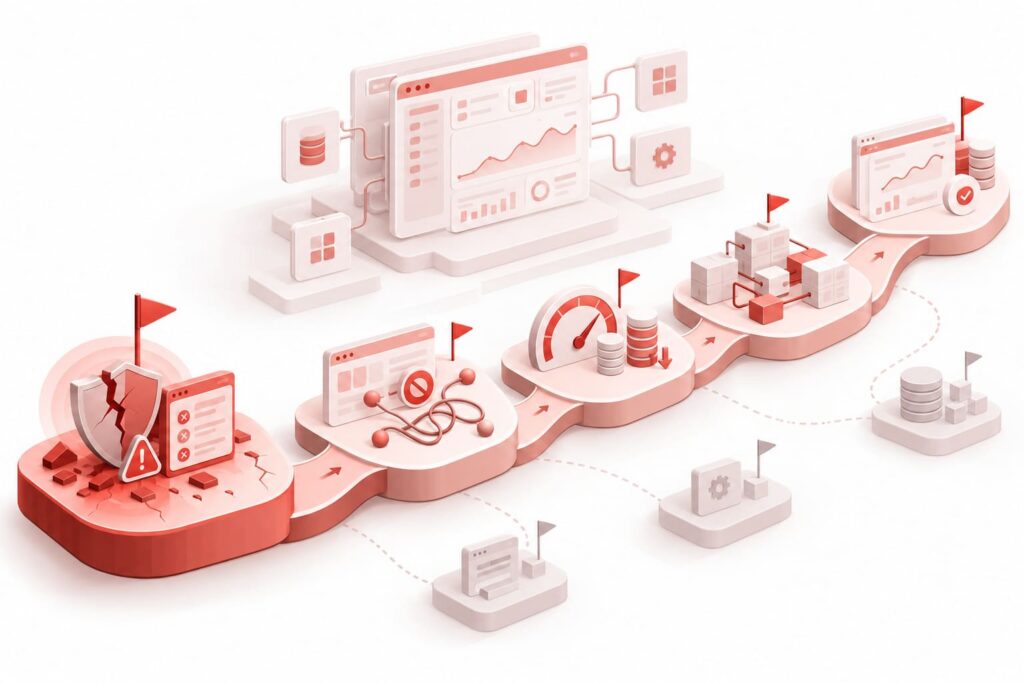
Most cloud migration problems are not caused by the transfer itself. They appear when dependencies, operating requirements, and post-migration responsibilities are discovered too late. A cloud migration strategy should therefore define how workloads will function during and after the move, alongside where they will be hosted.
1. Hidden Dependencies Disrupt the Migration Sequence
Teams often lack a complete view of the API connections, scheduled jobs, authentication services, shared databases, file transfers, and informal integrations on which an application depends. Moving one component before a connected service is ready can interrupt transactions, reporting, access control, or data exchange.
Within a cloud migration strategy, dependency mapping should cover technical connections and business processes. Network flow analysis, code and configuration reviews, interviews with system owners, and production monitoring can reveal relationships that are missing from existing documentation.
2. The Application Performs Differently After the Move
An application can start successfully in the cloud and still perform worse because of changes in network topology, storage latency, database configuration, or resource limits. Matching the previous CPU and memory allocation does not guarantee comparable results in a different environment.
Incorrect sizing can slow the migration, cause database errors, and reduce application performance. Teams need baseline measurements from the current environment, realistic load tests in the target environment, and acceptance thresholds for response time, throughput, error rate, and resource use.
3. Data Continues to Change During Migration
Application migration and data migration carry different risks. While a large dataset is being copied, the source system can continue receiving orders, payments, profile updates, or other transactions. The target database can therefore contain incomplete, duplicated, or outdated information when the application is ready for cutover.
The cloud migration strategy should define how initial data loads, ongoing changes, validation, and final synchronization will be handled. Google Cloud’s database migration guidance identifies completeness, consistency, and correct change ordering as important properties of a valid migration.
4. Downtime and Rollback Requirements Are Defined Too Late
Cutover affects customers, employees, connected systems, and support teams. If the acceptable interruption window is not agreed early, the selected migration method can conflict with business operations or contractual commitments.
Each workload needs a cutover procedure, decision owners, communication steps, rollback conditions, and a verified recovery point. The team should also define how long both environments can operate in parallel and what evidence is required before the source system is retired.
5. Security Controls Do Not Transfer Automatically
The cloud provider protects the underlying platform, while the customer remains responsible for identities, permissions, configurations, data access, and much of the application’s security. Policies designed for an on-premises environment cannot always be transferred without adjustment.
Security planning within a cloud migration strategy should cover identity and access management, secrets, encryption, network boundaries, audit logging, data residency, vulnerability management, and incident response. These controls should be tested before production traffic is redirected to the cloud.
These challenges should influence every stage of the migration plan, from application assessment and wave sequencing to testing, cutover, and post-migration optimization. Addressing them early gives the team measurable conditions for deciding when a workload is ready to move and when the source environment can be retired safely.
Record each identified risk in the migration plan with an owner, mitigation action, validation method, and acceptance threshold. A workload should proceed to cutover only after critical risks have been resolved or formally accepted by the responsible stakeholders.
Key Benefits of Cloud Migration
Although cloud migration introduces technical and operational challenges, a well-defined cloud migration strategy can improve how an application scales, recovers from failures, and responds to changing business needs. The result depends on the migration approach, target architecture, and the way the environment is managed after cutover.
Elastic Scalability and Stable Performance
Cloud infrastructure allows computing, storage, and database capacity to increase or decrease in response to demand. Autoscaling and load balancing can help applications handle seasonal peaks, traffic growth, and changes in transaction volume without maintaining maximum capacity at all times.
Cloud migration does not improve performance by default. Applications still require appropriate resource sizing, database configuration, caching, monitoring, and load testing. When these elements are included in the cloud migration strategy, the company can support growth without repeatedly expanding physical infrastructure.
Faster Delivery and Access to New Services
Cloud platforms allow teams to provision development and testing environments faster, automate deployments, and access managed data, analytics, and AI services. These capabilities can reduce the time required to release product changes or introduce new functions.
The scale of this benefit depends on how the cloud migration strategy treats the application. Rehosting can remove physical infrastructure constraints, while replatforming or refactoring can provide broader access to cloud automation and managed services.
Greater Resilience and Recovery Capabilities
Cloud environments support backups, replication, redundancy, and disaster recovery across separate availability zones or regions. These capabilities can reduce the impact of hardware failures and help critical applications recover within defined time and data-loss limits.
Resilience still requires deliberate design. Each workload should have documented recovery time objectives, recovery point objectives, backup policies, and tested recovery procedures. Hosting an application in the cloud does not make it fault-tolerant unless these controls are configured and verified.
More Flexible Costs and Operations
Cloud migration replaces part of the upfront investment in physical infrastructure with a consumption-based model. Companies can adjust resources as demand changes and reduce the work required to purchase, install, and maintain their own hardware.
Cost reductions are possible when resources are right-sized, scaled down when unused, and reviewed regularly. Managed services and automated infrastructure management can also reduce routine operational work. Idle resources, duplicated environments, and uncontrolled data transfer can instead increase total spending.
Stronger Security and Consistent Governance
Cloud platforms provide identity management, encryption, centralized logging, policy enforcement, and security monitoring services. These capabilities can help companies apply consistent controls across applications and environments and maintain the records required for security reviews or compliance audits.
The company must still configure permissions, protect credentials, control data locations, monitor activity, and validate regulatory requirements. Security improvements depend on these controls being designed before production workloads are migrated.

Step-by-Step Guide to Cloud Migration
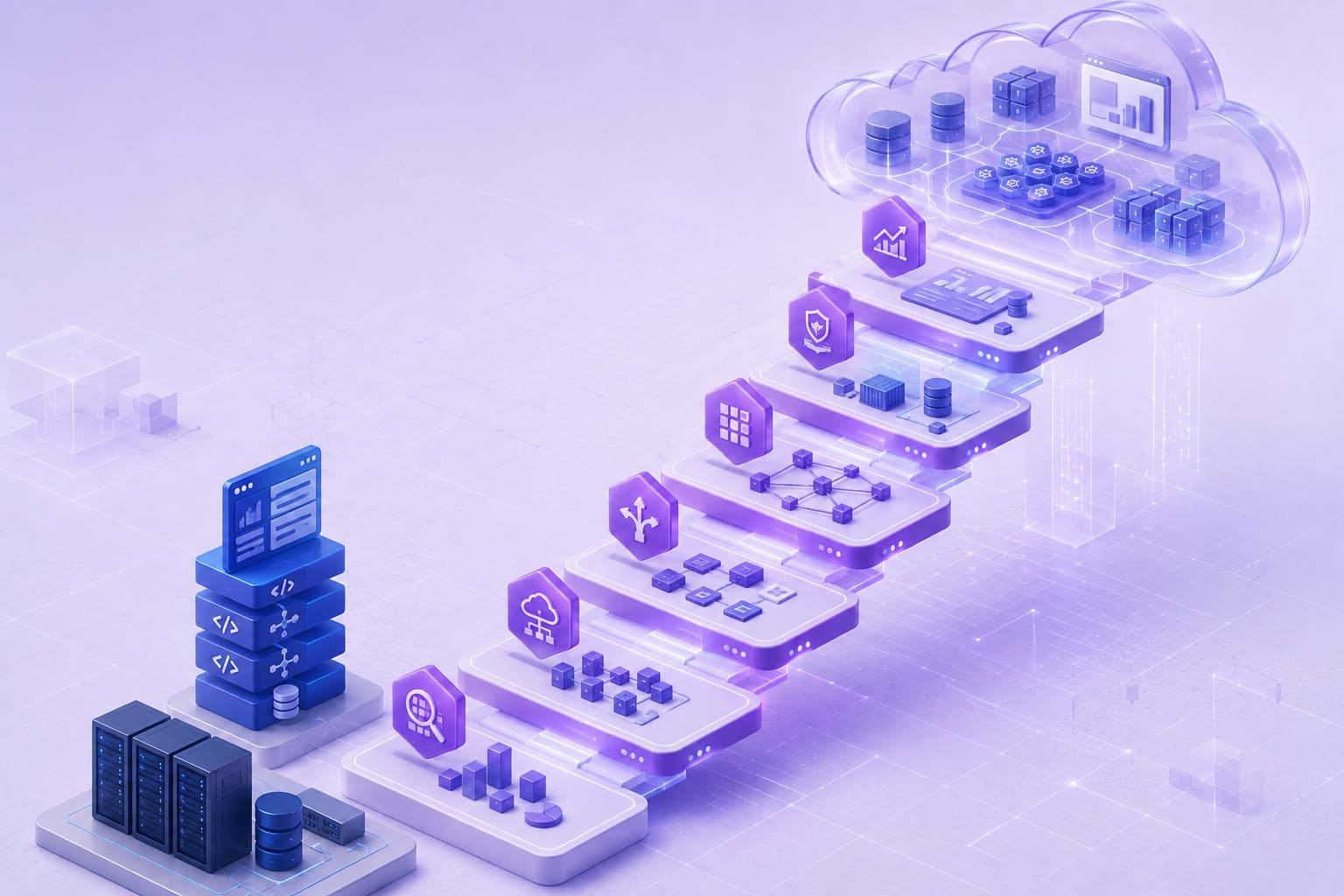
A successful cloud migration strategy depends on decisions made before any application or data is moved. Each stage should produce a clear output for the next one: business goals guide the assessment, assessment findings determine the migration approach, and that approach shapes the target architecture and execution plan.
1. Define Goals and Assess the Current Environment
The first stage of a cloud migration strategy combines the business reason for migration with a technical assessment. Moving applications without defined outcomes makes it difficult to select an architecture, establish a budget, and set priorities. The goal can be to exit a data center, shorten deployment time, prepare the system for growth, improve disaster recovery, or gain access to cloud data and AI services.
The team then creates an inventory of applications, infrastructure, and data and maps their dependencies. The assessment should show what needs to move and which workloads should be retained, replaced, consolidated, or retired.
Stage output: an agreed business case, a complete environment map, and criteria for evaluating the migration result.
2. Choose the Migration Approach for Each Workload
A cloud migration strategy will rarely apply one approach to an entire application portfolio. A stable internal system can be rehosted with minimal changes, while an application with scalability problems can require replatforming or refactoring. An outdated or duplicated workload can be replaced, retained, or retired.
Decisions should be made for each workload and, when needed, for individual components. For example, the application layer can be rehosted, the database moved to a managed service, and authentication replaced with a cloud identity service. Applications that need wider technical changes can be assessed as part of a legacy modernization initiative.
Stage output: a migration decision for each workload and a preliminary scope of technical changes.
3. Design the Target Cloud Architecture
Once the migration approach is selected, the cloud migration strategy can define the target environment. This stage covers the cloud provider, deployment model, account or subscription structure, networking, identity, security controls, compute, storage, databases, and observability.
The architecture should address the production application and shared platform capabilities such as connectivity, access management, logging, backups, policy enforcement, and cost allocation. This foundation is often implemented as a cloud landing zone so that migration waves follow the same security, governance, and operational standards.
Stage output: an approved target architecture and a prepared cloud foundation.
4. Prepare the Organization and Migration Plan
Within a cloud migration strategy, business readiness covers people, processes, operating rules, and the detailed order of migration. The team should know who approves decisions, who owns each workload after cutover, and how incident management, security, support, and cost control will work in the target environment.
Applications are grouped into migration waves based on dependencies, business criticality, and complexity. Every wave needs assigned owners, a timeline, a test plan, a cutover procedure, a communication plan, and rollback conditions.
Stage output: a prepared team, a defined operating model, and a reviewed migration-wave plan.
5. Migrate, Validate, and Modernize
Execution should begin with a low- or medium-risk workload that can test the tooling, architecture, and operating processes. Applications are then moved in waves. Each wave follows a consistent cycle: prepare, migrate, synchronize, test, cut over, monitor, and close.
Validation is required between transfer and deeper modernization. An application that starts in the cloud is not ready for production until the team confirms data integrity, performance, integrations, security, and recovery. For a complex portfolio, AWS migration guidance recommends separating large-scale migration from deeper modernization where combining both would introduce excessive risk.
Stage output: a workload operating in the target environment, validated against agreed criteria, and accepted by the operations team.
6. Optimize and Operate the Cloud Environment
Cloud migration continues after cutover. Initial resource configurations often rely on estimates and should be adjusted after production usage data becomes available. The team should also verify whether the business and technical goals established during assessment have been achieved.
Optimization should operate as a recurring cycle with defined owners and measurable targets. Performance, reliability, security, cost, and delivery metrics can reveal where the architecture or operating model still needs adjustment.
Stage output: a controlled cloud environment with measurable performance, reliability, security, and cost indicators.
Treat each stage output as a decision checkpoint. Before moving forward, confirm that the required information, approvals, owners, and success criteria are in place. This helps prevent unresolved issues from carrying into later migration stages, where they become more expensive and difficult to address.
How TechBar Helps with Cloud Migration
TechBar’s cloud engineering services support migrations to AWS, Azure, and Google Cloud across on-premises, hybrid, and cloud environments. Our cloud engineers begin by assessing the existing architecture, application dependencies, operational requirements, security constraints, and internal engineering capacity. Based on these findings, we help define a cloud migration strategy that accounts for business priorities, technical risk, acceptable downtime, and the level of modernization required for each workload.
The work can cover target architecture, landing zones, infrastructure as code, migration automation, data transfer, containerization, cloud security, observability, performance testing, and cost controls. Engineers operate within the client’s existing tools, release cycles, and software delivery processes, which keeps infrastructure decisions connected to product development and daily operations.
Depending on the project, TechBar can provide an individual cloud specialist, assemble a dedicated cross-functional team, or establish a longer-term cloud engineering function. Companies can review TechBar’s broader engineering expertise and engagement models or contact the team to discuss the scope and risks of an upcoming migration.

Dmytro Barbashov CTO
FAQs
-
What is a cloud migration strategy?
A cloud migration strategy is a structured plan for moving applications, data, and infrastructure from an existing environment to the cloud. It defines the migration goals, target architecture, migration approach, security requirements, implementation stages, testing procedures, and post-migration responsibilities.
-
What are the main cloud migration approaches?
The main approaches include rehosting, replatforming, refactoring, rearchitecting, rebuilding, replacing, and retaining selected systems. The appropriate option depends on the application’s technical condition, business value, dependencies, migration timeline, budget, and acceptable risk level.
-
How long does cloud migration take?
A focused migration can take several weeks, while complex enterprise programs can require several months or longer. The timeline depends on the number of applications, architecture complexity, data volume, integrations, compliance requirements, testing scope, and the changes required before migration.
-
What should a cloud migration strategy include?
A cloud migration strategy should include an assessment of the existing environment, business and technical objectives, application dependencies, target cloud architecture, migration priorities, security controls, data migration procedures, testing criteria, rollback plans, and cost management measures. It should also define how the cloud environment will be monitored and improved after migration.
-
How much does cloud migration cost?
Cloud migration costs depend on the number and complexity of workloads, data volume, selected migration approaches, target architecture, security requirements, testing scope, and engineering resources. The budget should also account for data transfer, temporary parallel environments, software licenses, cloud services, employee training, and post-migration optimization.